MySQL 8.4 Release Notes
macOS 使用启动守护进程自动启动、停止和管理进程和应用程序,例如 MySQL。macOS uses launch daemons to automatically start, stop, and manage processes and applications such as MySQL.
默认情况下,macOS 上的安装包 (DMG) 会安装一个名为 /Library/LaunchDaemons/com.oracle.oss.mysql.mysqld.plist 的 launchd 文件,其中包含类似于以下内容的 plist 定义:By default, the installation package (DMG) on macOS installs a
launchd file named
/Library/LaunchDaemons/com.oracle.oss.mysql.mysqld.plist
that contains a plist definition similar to:
<?xml version="1.0" encoding="UTF-8"?>
<!DOCTYPE plist PUBLIC "-//Apple Computer//DTD PLIST 1.0//EN" "http://www.apple.com/DTDs/PropertyList-1.0.dtd">
<plist version="1.0">
<dict>
    <key>Label</key>             <string>com.oracle.oss.mysql.mysqld</string>
    <key>ProcessType</key>       <string>Interactive</string>
    <key>Disabled</key>          <false/>
    <key>RunAtLoad</key>         <true/>
    <key>KeepAlive</key>         <true/>
    <key>SessionCreate</key>     <true/>
    <key>LaunchOnlyOnce</key>    <false/>
    <key>UserName</key>          <string>_mysql</string>
    <key>GroupName</key>         <string>_mysql</string>
    <key>ExitTimeOut</key>       <integer>600</integer>
    <key>Program</key>           <string>/usr/local/mysql/bin/mysqld</string>
    <key>ProgramArguments</key>
        <array>
            <string>/usr/local/mysql/bin/mysqld</string>
            <string>--user=_mysql</string>
            <string>--basedir=/usr/local/mysql</string>
            <string>--datadir=/usr/local/mysql/data</string>
            <string>--plugin-dir=/usr/local/mysql/lib/plugin</string>
            <string>--log-error=/usr/local/mysql/data/mysqld.local.err</string>
            <string>--pid-file=/usr/local/mysql/data/mysqld.local.pid</string>
            <string>--keyring-file-data=/usr/local/mysql/keyring/keyring</string>
            <string>--early-plugin-load=keyring_okv=keyring_okv.so</string>
        </array>
    <key>WorkingDirectory</key>  <string>/usr/local/mysql</string>
</dict>
</plist>
Note
一些用户报告添加 plist DOCTYPE 声明会导致 launchd 操作失败,尽管它通过了 lint 检查。我们怀疑这是一个复制粘贴错误。包含上述代码段的文件的 md5 校验和为 d925f05f6d1b6ee5ce5451b596d6baed。Some users report that adding a plist DOCTYPE declaration causes the launchd operation to fail, despite it passing the lint check. We suspect it's a copy-n-paste error. The md5 checksum of a file containing the above snippet is d925f05f6d1b6ee5ce5451b596d6baed.
要启用 launchd 服务,您可以:To enable the launchd service, you can either:
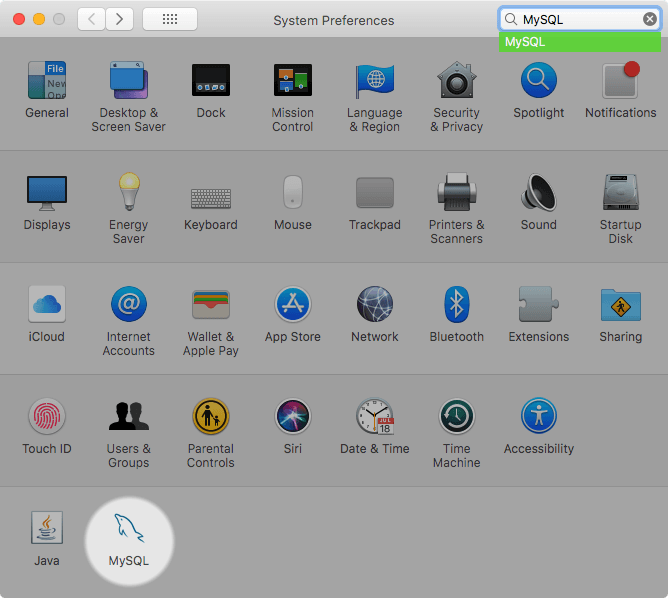
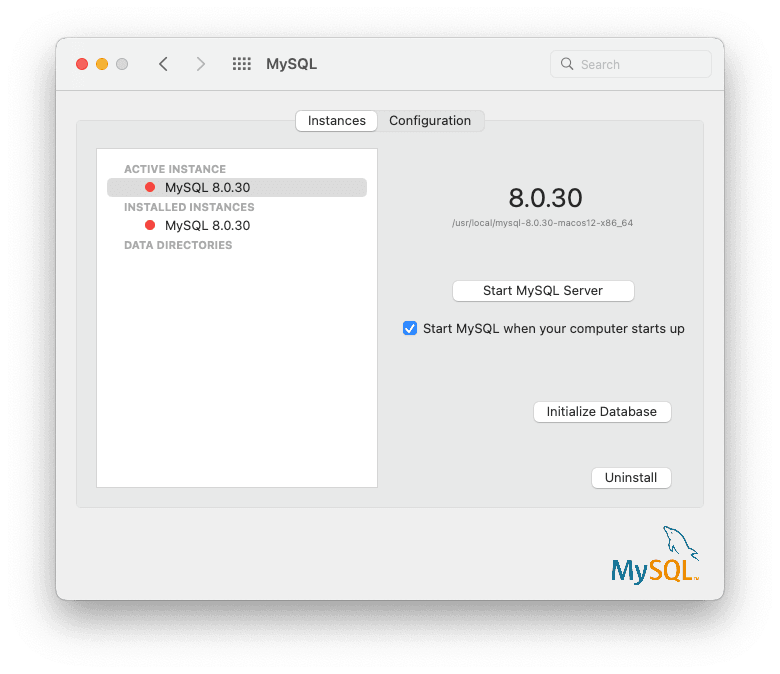
打开 macOS 系统首选项并选择 MySQL 首选项面板,然后执行 。Open macOS system preferences and select the MySQL preference panel, and then execute .
实例页面包含启动或停止 MySQL 的选项,重新创建
data/目录。 卸载 MySQL Server 以及可选的 MySQL 首选项面板和 launchd 信息。The Instances page includes an option to start or stop MySQL, and recreates thedata/directory. uninstalls MySQL Server and optionally the MySQL preference panel and launchd information.或者手动加载 launchd 文件。Or, manually load the launchd file.
$> cd /Library/LaunchDaemons
$> sudo launchctl load -F com.oracle.oss.mysql.mysqld.plist
要将 MySQL 配置为在启动时自动启动,您可以:To configure MySQL to automatically start at bootup, you can:
$> sudo launchctl load -w com.oracle.oss.mysql.mysqld.plist
Note
升级过程会替换名为 com.oracle.oss.mysql.mysqld.plist.The upgrade process replaces your existing launchd file named
com.oracle.oss.mysql.mysqld.plist.
其他 launchd 相关信息:Additional launchd related information:
plist 条目会覆盖
my.cnf条目,因为它们是作为命令行参数传入的。有关传递程序选项的更多信息,请参阅第 6.2.2 节“指定程序选项”。The plist entries overridemy.cnfentries, because they are passed in as command line arguments. For additional information about passing in program options, see Section 6.2.2, “Specifying Program Options”.ProgramArguments 部分定义传递到程序中的命令行选项,该程序是此文件中的
mysqld二进制文件。 case.The ProgramArguments section defines the command line options that are passed into the program, which is themysqldbinary in this case.默认的 plist 定义是根据不太复杂的用例编写的。对于更复杂的设置,您可能需要删除一些参数,而依赖 MySQL 配置文件,例如
my.cnf。The default plist definition is written with less sophisticated use cases in mind. For more complicated setups, you may want to remove some of the arguments and instead rely on a MySQL configuration file, such asmy.cnf.如果您编辑 plist 文件,则在重新安装或升级 MySQL 时取消选中安装程序选项。否则,您编辑的 plist 文件将被覆盖,并且所有编辑都会丢失。If you edit the plist file, then uncheck the installer option when reinstalling or upgrading MySQL. Otherwise, your edited plist file is overwritten, and all edits are lost.
由于默认 plist 定义定义了多个 ProgramArguments,因此您可能会删除其中大部分参数,而是依赖 my.cnf MySQL 配置文件来定义它们。例如:Because the default plist definition defines several
ProgramArguments, you might
remove most of these arguments and instead rely upon your
my.cnf MySQL configuration file to define
them. For example:
<?xml version="1.0" encoding="UTF-8"?>
<!DOCTYPE plist PUBLIC "-//Apple Computer//DTD PLIST 1.0//EN" "http://www.apple.com/DTDs/PropertyList-1.0.dtd">
<plist version="1.0">
<dict>
    <key>Label</key>             <string>com.oracle.oss.mysql.mysqld</string>
    <key>ProcessType</key>       <string>Interactive</string>
    <key>Disabled</key>          <false/>
    <key>RunAtLoad</key>         <true/>
    <key>KeepAlive</key>         <true/>
    <key>SessionCreate</key>     <true/>
    <key>LaunchOnlyOnce</key>    <false/>
    <key>UserName</key>          <string>_mysql</string>
    <key>GroupName</key>         <string>_mysql</string>
    <key>ExitTimeOut</key>       <integer>600</integer>
    <key>Program</key>           <string>/usr/local/mysql/bin/mysqld</string>
    <key>ProgramArguments</key>
        <array>
            <string>/usr/local/mysql/bin/mysqld</string>
            <string>--user=_mysql</string>
            <string>--basedir=/usr/local/mysql</string>
            <string>--datadir=/usr/local/mysql/data</string>
            <string>--plugin-dir=/usr/local/mysql/lib/plugin</string>
            <string>--log-error=/usr/local/mysql/data/mysqld.local.err</string>
            <string>--pid-file=/usr/local/mysql/data/mysqld.local.pid</string>
            <string>--keyring-file-data=/usr/local/mysql/keyring/keyring</string>
            <string>--early-plugin-load=keyring_okv=keyring_okv.so</string>
        </array>
    <key>WorkingDirectory</key>  <string>/usr/local/mysql</string>
</dict>
</plist>
在本例中,basedir、datadir、plugin_dir、log_error、pid_file 和 --early-plugin-load 选项已从默认 plist ProgramArguments 定义中删除,您可能已在 my.cnf 中定义了该定义。In this case, the basedir,
datadir,
plugin_dir,
log_error,
pid_file, and
--early-plugin-load options were
removed from the default plist
ProgramArguments definition, which you might
have defined in my.cnf instead.